Promote Configs Across Environments
Promoting a config — staging → prod, dev → staging, region → region —
shouldn't be a fresh PR full of terraform apply and one-line value
flips. Massdriver promotes at the instance level: take the validated
configuration on one instance, push it to another instance of the same
component, and let the destination's plan deployment show the diff
before anything ships.
The command is mass instance copy — aliased promote for the common
case:
mass instance promote ecomm-staging-db --to ecomm-production-db

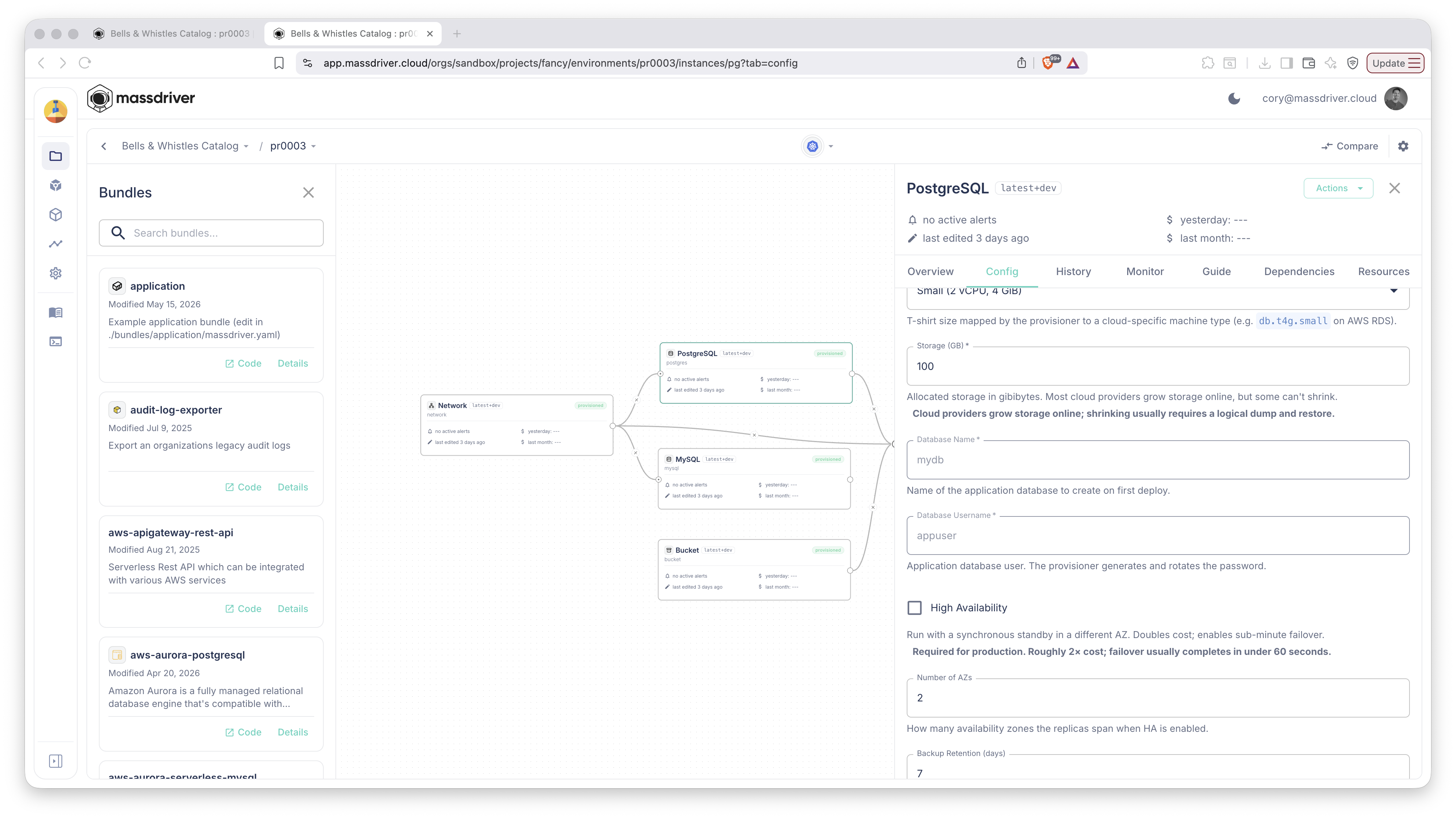
Concretely: the source instance — here, a PostgreSQL instance in a PR
preview env running latest+dev with tuned params — is the validated
config you want to ship:
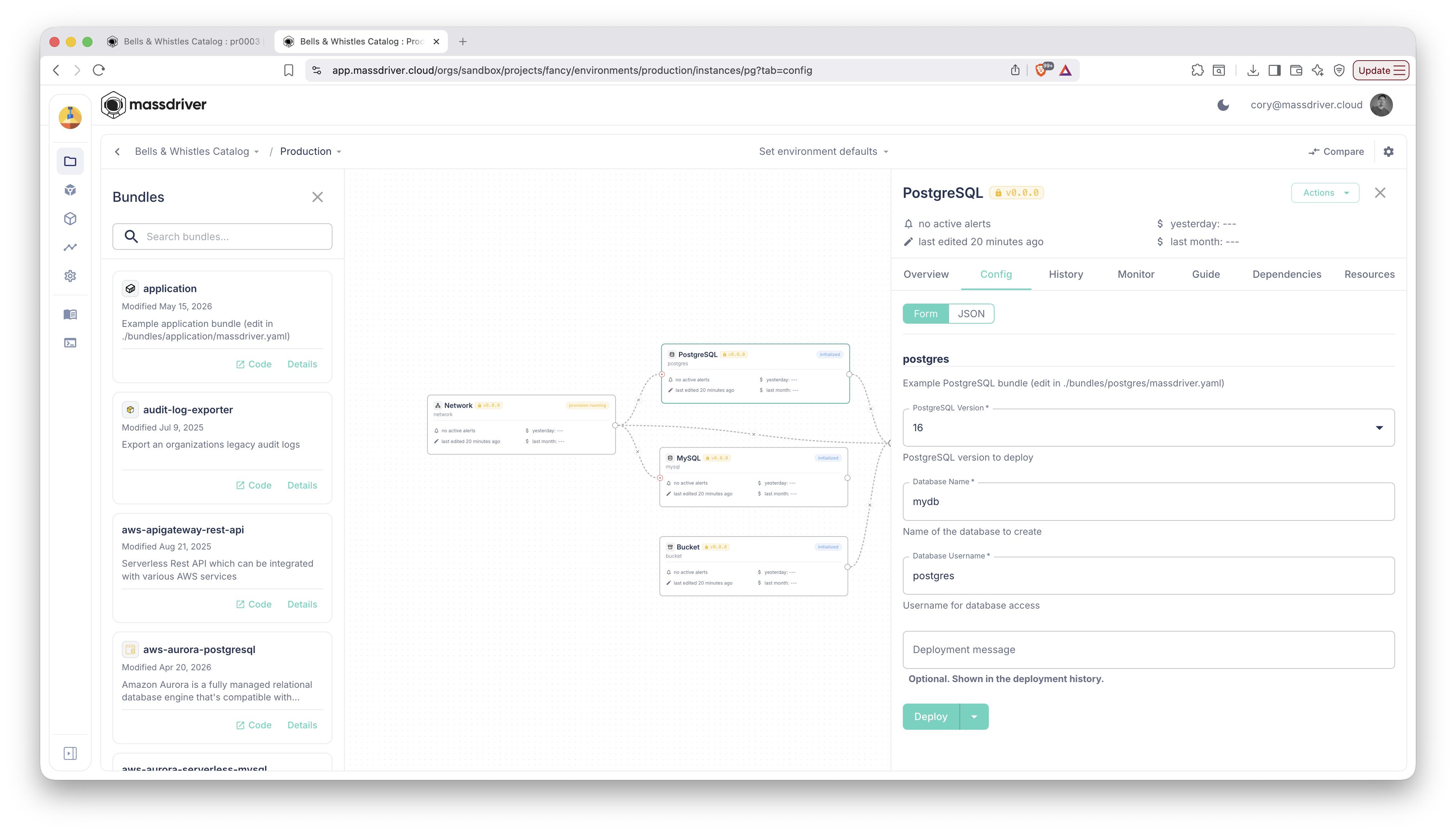
The destination — production — still has the older v0.0.0 config:
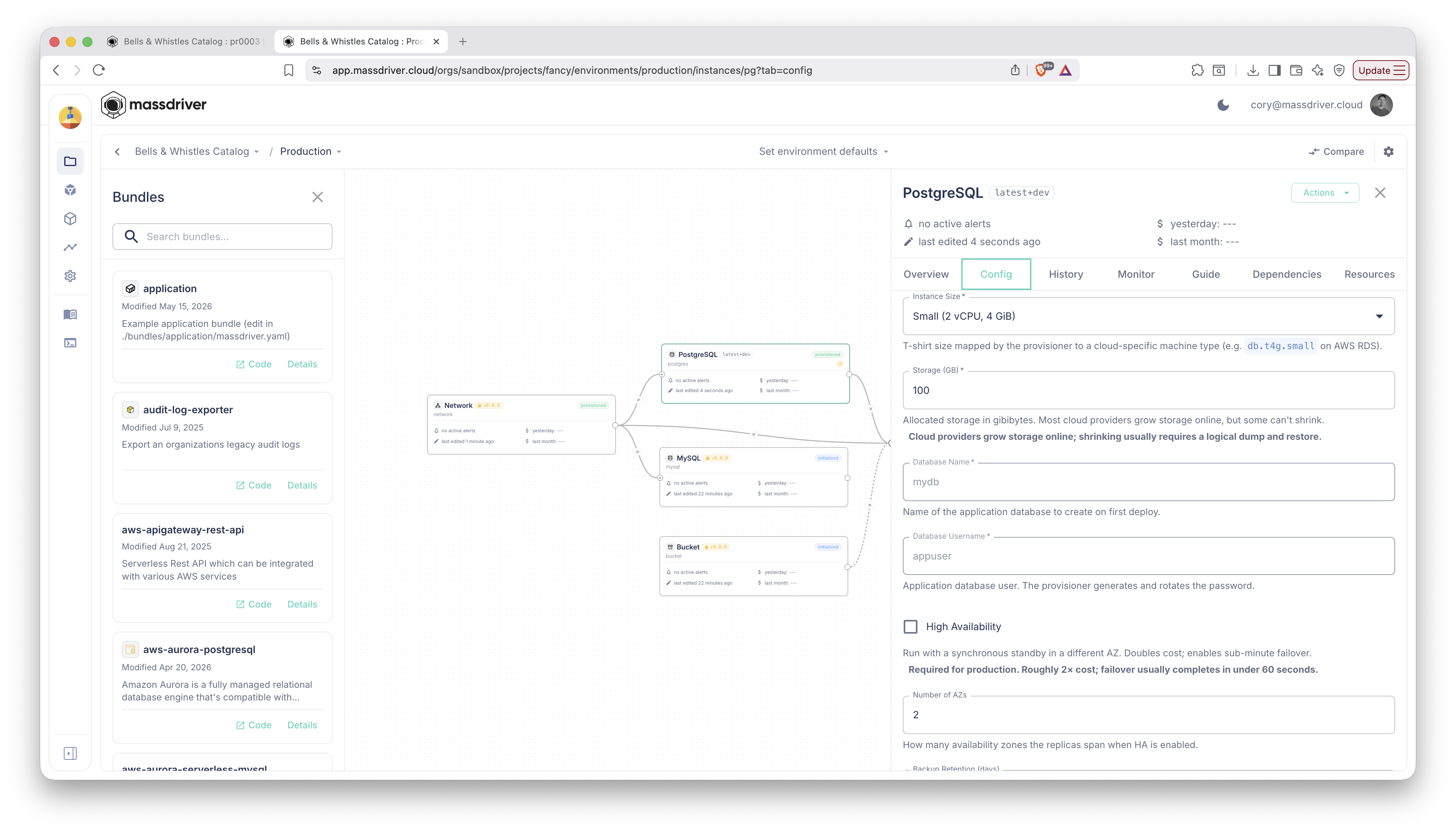
After mass instance promote, the destination is staged with the new
config and version, ready for a deploy:
What gets promoted
By default: the source's params (minus any field the bundle marks
$md.copyable: false), the source's version constraint, and the
source's release channel. The destination is configured with the new
state, then a PLAN deployment is created on the destination so you
(or an approver) can review the diff before applying.
Opt-in extras:
--copy-secrets— also copy every secret value from source to dest. Use sparingly: secrets are encrypted at rest and never returned from the API, but copying them does relocate plaintext through the platform process.--copy-remote-references— also copy the source's per-instance remote-reference overrides. Useful when both envs should point at the same shared cluster, VPC, etc.--overrides <path>— JSON or YAML file of param overrides deep-merged on top of the source params before writing. The natural way to tweak instance size or replica count between envs.
The flow
# 1. Promote staging's DB config to production. A plan deployment is
#    created on `ecomm-production-db` so the team can review the diff.
mass instance promote ecomm-staging-db --to ecomm-production-db

# 2. Production scales bigger than staging — apply an override on the way.
mass instance promote ecomm-staging-db --to ecomm-production-db \
  --overrides ./prod-db.yaml

# 3. Once the plan deployment looks good, ship it.
mass instance deploy ecomm-production-db
A promote with no overrides creates an identical destination configuration — which is exactly what you want for the staging → prod case where the config has already been validated in staging.
Components must match
Source and destination have to be instances of the same component (same bundle behind them). The API rejects mismatched copies with a clear error; the CLI surfaces it. This is what keeps "promote" sane — you can't accidentally write a Postgres config into a Redis instance.
Promote as a CI pattern
Wire mass instance promote into your release pipeline:
- name: Promote staging configs to production
  if: github.ref == 'refs/heads/main'
  run: |
    mass instance promote ecomm-staging-db  --to ecomm-production-db
    mass instance promote ecomm-staging-app --to ecomm-production-app
Because each promote ends in a plan deployment on the destination —
not an apply — production never moves without explicit human action.
Pair it with mass instance deploy once approval lands.
Beyond two environments
The same primitive works for any source → destination of the same component:
- Region rollouts:
mass instance promote api-prod-uswest-db --to api-prod-useast-db - Per-tenant updates:
mass instance promote api-template-cache --to api-acme-cache - Disaster recovery rehearsals: promote prod into a parallel env and deploy from there.
The CLI surface stays one command. The model underneath is the same as
the UI uses; what you build on top of promote is your workflow, not
Massdriver's opinion.
Reference
- CLI command:
mass instance copy(aliaspromote). - API mutation:
copyInstancein the V2 schema. - Related: Fork an environment when you want to clone a whole env, not just push one config.