Fork an Environment
A fork is a new environment seeded from an existing one. The new env
sits in the same project (the project is the parity boundary — every env
within it has the same canvas), references its parent via the parent
field, and every instance starts with the parent's params, version, and
release channel.
Use a fork when you need a controlled copy of an env that you can diverge from: spin up staging from prod, ramp a developer's personal env off staging, stage a major version migration in isolation.
What forkEnvironment actually does
One API call, all four steps happen inside the same transaction:
- Creates the new environment, linked to its parent.
- Initializes one instance per component in the project's blueprint.
- Seeds every instance's
paramsfrom the parent's matching instance (filtered through the bundle's$md.copyableannotations). - Optionally copies environment defaults, secrets, and remote-reference
overrides — three independent
--copy-*flags you opt into.
If any of those steps fail, the whole thing rolls back. There is never a half-forked env to clean up.
The CLI
mass environment fork <parent-environment> <new-ID> [flags]
parent-environmentis the full identifier of the env you're forking from (e.g.ecomm-production).new-IDis the local segment of the new env's identifier. Must match^[a-z0-9]{1,20}$— lowercase alphanumeric only, no dashes. The full identifier becomes<project>-<new-ID>.
Flags
--copy-environment-defaults— carry the parent's default resource connections (the canvas-level defaults) into the fork.--copy-secrets— copy every instance's secrets from the parent. Same semantics asmass instance copy --copy-secrets, fanned out to every instance in one call.--copy-remote-references— copy every instance's remote-reference overrides from the parent.--name,--description,--attributes— same asenvironment create.--attributesis required when the org has declared attribute-shaped ABAC policies at the environment scope.
Examples
# Stand up a staging env from production, carrying credentials forward.
mass environment fork ecomm-production staging \
  --copy-environment-defaults \
  --copy-secrets

# Personal dev env off staging, no secrets.
mass environment fork ecomm-staging alicedev

# Re-running is safe — reset edits and pull in updated parent state.
mass environment fork ecomm-production staging --copy-environment-defaults

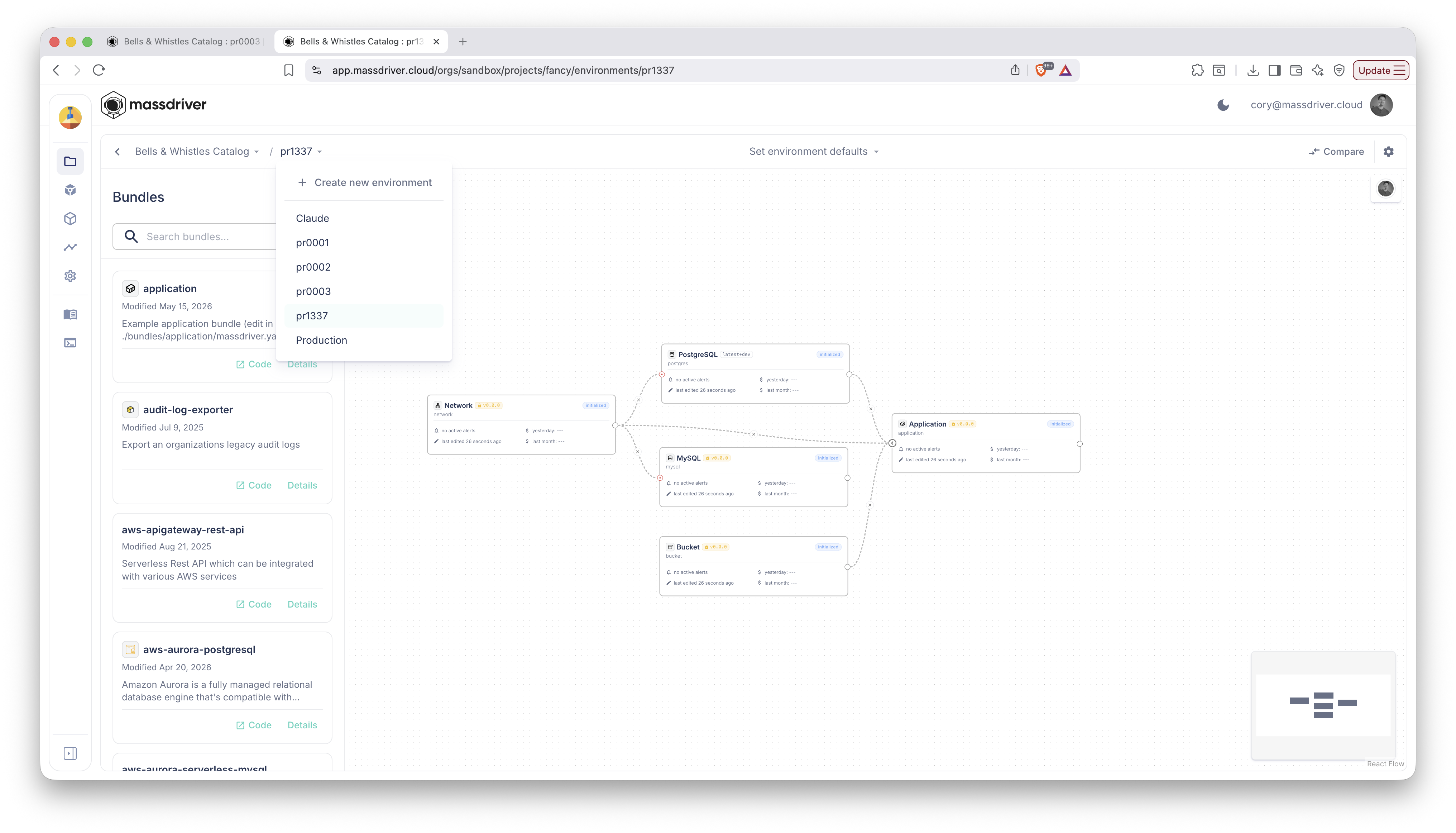
The new env shows up immediately alongside its siblings in the project's environment list:
Re-fork resets the fork
forkEnvironment is a converge, not a one-shot create. Re-running it
against the same parent with the same new-ID re-runs the seed:
- Params and version reset to the parent's current values (any local edits are clobbered).
- Environment defaults re-apply (idempotent upserts).
--copy-*flags re-fire — so you can re-fork with--copy-secretsto backfill secrets that a prior call didn't request.
Re-forking with a different parent is rejected. A fork's parent is immutable.
What's not copied
Out of the box, a fork only copies what copyInstance does for a single
instance: params (minus bundle-marked non-copyable fields), version, and
release channel. Secrets and remote references stay opt-in via the two
flags. If you need finer control — different secrets per instance,
specific remote references — combine fork with per-instance
promotes.
When fork is the wrong tool
- One-off changes to an existing env. Don't fork, then merge back. Just edit the env directly.
- You want every env in lockstep. Forks diverge over time. If you need parity, the project is already that parity boundary — each env inherits the same blueprint without needing to be a fork of another.
- Cross-project clones. Forks live in the same project as their parent. To duplicate infrastructure across projects, the right tool is Clone Project (different command, same pattern).
Reference
- CLI command:
mass environment fork— see theforksubcommand. - API mutation:
forkEnvironmentin the V2 schema. - Concepts: Projects & Environments.